Both Mapular Store Locator and SC Store Locator Map help Shopify merchants display store locations on a map. Both handle the basics well. The difference is what happens after the customer searches.
This comparison covers where the two tools overlap, where they diverge, and which one fits different stages of D2C growth. For the full Shopify landscape, see our guide to the best store locator apps for Shopify.
The Real Deal: Locators Should Fuel Growth, Not Just Pin Locations
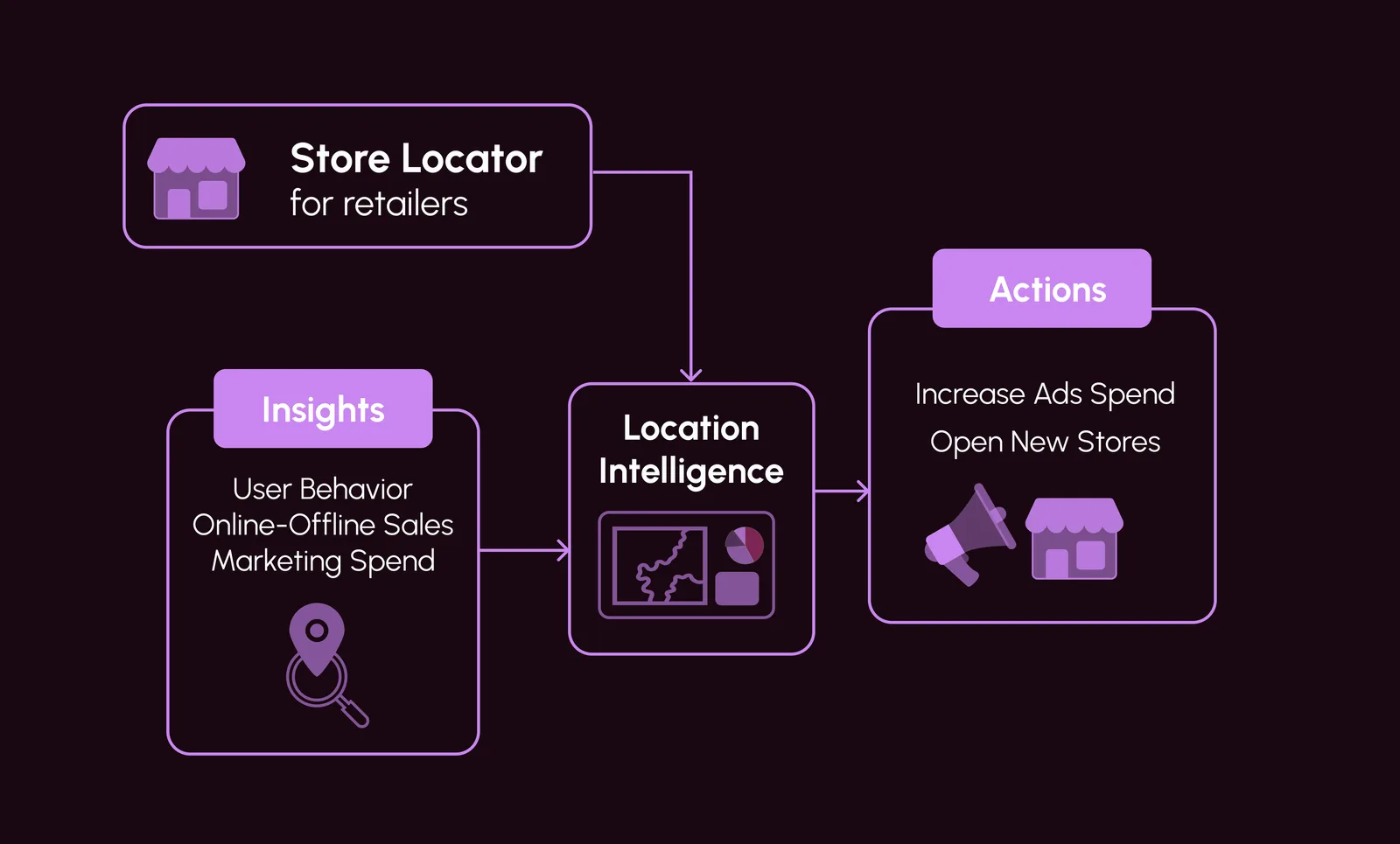
Every store locator search is a demand signal. Where customers search, which filters they use, and which locations they select: that data can inform expansion, inventory, and marketing decisions. Basic locators discard it. Mapular captures it. This is exactly why D2C brands are embracing location intelligence in the post-cookie era.
SC Store Locator Map: Fine for Starters, But Why Limit Options?
SC by Shop Circle keeps things simple. It maps locations, adds directions, and handles finds. Solid for bare minimum. But today, who stops there?
Quick hits on what it offers:
- Custom filters, extra fields, and CSV uploads.
- Map themes, languages, and mobile vibes.
- Basic tracking for searches and views.
- Handles traffic spikes without issues.
Pricing stays easy. Free plan with support, but limited to 1 store. Paid tiers from $9.99 (up to 50 stores) to $39.99 per month (up to 2000 stores) for extras like advanced filters.
Users rate it well for reliability, accurate maps, and quick setup. But the analytics are basic: search views and heatmaps, not behavioral patterns or demand signals. You can see activity, but not the opportunities behind it.
Mapular Store Locator: Basics Covered, Plus a Growth Engine
Mapular Store Locator covers the same core functionality as SC but adds a behavioral analytics layer on top. From small setups to large-scale rollouts, here is what it offers.
Key features:
- Free for up to 5 stores, with geocoding and images. Scale to starter at $9.99 for up to 50 stores, with bulk imports.
- Dynamic searches: Auto-complete, smart filters for distance, hours, services.
- Real-time inventory and product checks.
- Custom designs that fit brands, no code fights.
- Behavioral analytics: Track searches, filters, conversions. Spot demand spikes and weak zones fast.
Regular updates ship quickly. Shopify syncs natively. Insights like popular search terms and geographic trends feed directly into your planning, no manual data exports needed.
Check out full features on the Mapular Shopify app.
Real-World Wins: How Mapular Store Locator Turns Data into DTC Growth
Consider a coffee brand with 20 retail locations. Using Mapular, they notice search volume spiking in a neighborhood without coverage, a clear signal to explore a pop-up or new retail partner. Or a fashion D2C brand sees low conversion in one region and adjusts inventory based on which product filters customers use most.
These patterns are visible because the locator captures behavioral data from every interaction. The result is a shorter path from observation to action: identify the signal, validate with your team, and respond.
How the Two Compare Side by Side
Here is how the key dimensions line up:
- Core features: Both map locations and guide customers to stores. Mapular adds smart filters, inventory checks, and product connections.
- Free tier: SC's free plan covers 1 store. Mapular's free plan covers up to 5 stores with geocoding and images.
- Paid tiers: SC ranges from $9.99 (50 stores) to $39.99 (2,000 stores). Mapular ranges from $9.99 (50 stores) to $44.99 (5,000 stores), with behavioral analytics included from the Advanced tier.
- Analytics: SC provides search views and heatmaps in higher plans. Mapular tracks search patterns, filter usage, and geographic demand signals, turning locator data into expansion intelligence.
- Data ownership: Full data control with Mapular. No black boxes.
For another comparison, see our Mapular vs Stockist breakdown.
FAQ: Quick Answers on Mapular Store Locator
- What is the difference between Mapular Store Locator and Mapular Consumer Analytics? The Store Locator focuses on mapping locations and capturing search-level behavioral data. Consumer Analytics goes deeper into customer-level data like CLV, regional trends, and cross-channel performance. They work together: the locator generates first-party demand signals that feed into broader analysis.
- Is Mapular Store Locator free to start? Yes. The free plan covers up to 5 stores with core features. No credit card required.
- How does it integrate with Shopify? Native Shopify sync. Install the app, upload locations via CSV, and you are live. No coding required.
- What if I need custom analytics? Built-in behavioral tracking covers search patterns, filter usage, and geographic demand. If you have specific requirements, reach out and we can discuss.
- Why choose Mapular over SC? Behavioral analytics from the Advanced tier onward, full data ownership, and a modular path to deeper consumer intelligence as your brand scales.
Which One Fits Your Brand
Choose SC Store Locator if you need a reliable, simple location finder and do not need analytics beyond basic search views and heatmaps.
Choose Mapular Store Locator if you want your locator to capture demand signals, track customer search behavior, and inform expansion and marketing decisions. The free tier covers up to 5 locations, and analytics tools scale with your brand.
Try Mapular Store Locator free on Shopify, no credit card required.