

Mapular Store Locator vs Stockist: Why Mapular's the Smarter Choice for Every D2C Brand
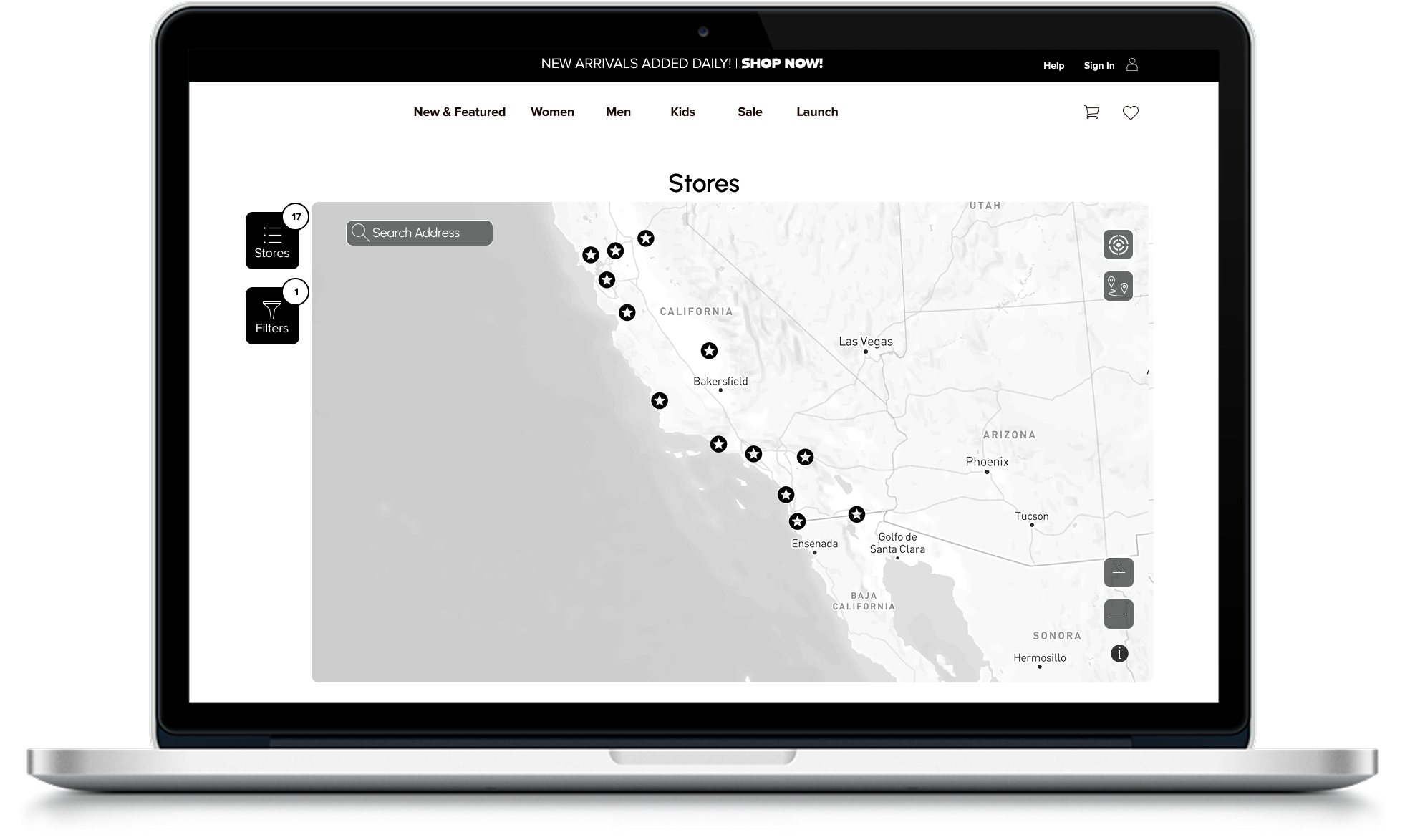
Hey, running a D2C brand in today's hustle? We get it. Customers expect to find your stores or locations in seconds, no excuses. Whether you're juggling pop-ups, retail partners, or expanding your network, a clunky store locator can kill conversions fast. Enter the showdown: Mapular Store Locator vs Stockist. Both nail the basics like interactive maps and easy searches, but if you want full data control, predictive insights, and seamless scaling, Mapular Store Locator crushes it every time. We start free for small setups, then unlock growth tools that turn customer searches into real strategies. No more data silos or guessing games. Let's break it down so you can pick what fits your vibe. And spoiler, Mapular Store Locator empowers you to grow smarter, no strings attached.
Imagine this: A shopper hits your site, types in their zip, and boom. Nearest spot pops up. But what if you could track that search, spot demand trends, and even predict where to open next? That's the edge we're talking about. Stockist's great for simple listings, but Mapular Store Locator? It's built for brands like yours that hate spreadsheets and love aha moments. We ship fast based on what you tell us, so dive in and see how we stack up.
Key takeaways:
- Mapular Store Locator kicks off free with up to 5 locations, scaling to 5,000 without breaking a sweat. Perfect for startups or established crews.
- Nail basics like bulk imports, custom filters, and mobile optimization, then level up with search analytics, product connections, and demand forecasts.
- EU-native GDPR setup keeps your global expansion drama-free, anonymizing data while you focus on growth.
- Stockist handles straightforward maps well, but Mapular Store Locator layers on the intel to actually move the needle for your D2C plays.
- We know data bottlenecks suck, so Mapular Store Locator gives you full control, turning every search into actionable insights.
Quick Look: The Core Diff
Stockist keeps it straightforward: Think clean maps, quick embeds, and basic analytics to see where folks are looking. It's like that reliable tool in your kit for listing locations without fuss. Solid if you're just getting started and don't need deep dives.
Mapular Store Locator flips the script. We don't just show stores. We turn your locator into a smart hub. Customers find locations fast, sure, but you get the backend magic: Track behaviors, predict trends, and optimize expansions. It's like having your own analytics team, minus the payroll. Built for D2C brands chasing efficiency, we blend no-code ease with powerful tools inspired by how top operators scale.
Features Breakdown: Where Mapular Store Locator Shines
Let's get granular. Both tools handle core stuff, but Mapular Store Locator adds layers that make scaling feel effortless. We pulled these from real plan details. No fluff, just facts to help you decide.
Store Management and Mapping
Managing locations shouldn't feel like herding cats. Both let you import and tweak, but Mapular Store Locator amps it with higher limits and ties to your product data for better customer flows.
Pros for Mapular: Higher caps mean you grow without hitting walls. Example? A D2C fashion brand adds 1,000+ partner stores. Mapular handles it seamless, with edits that show real-time impact on search trends.
Search and User Experience
Your customers deserve a smooth ride. Both deliver responsive searches, but Mapular Store Locator boosts it with product filters that guide shoppers straight to what they want, cutting bounce rates.
Edge here: Mapular's product filters let customers search "shoes near me" and see stock-specific spots, turning browses into buys. We track those mobile hits too, so you spot on-the-go trends.
Analytics and Growth Tools
This is where things get exciting. Stockist gives you quick peeks, but Mapular Store Locator? We turn data into decisions, with tools that predict and optimize.
Mapular wins big: Use digital twins to simulate "what if we open here?" and get data-backed answers. No more gut-feel expansions.
Analytics Deep Dive: Data That Drives You Forward
Data's your secret weapon, but only if it's actionable. Let's unpack how each tool handles it.
Stockist's Approach: Essentials Covered
Stockist keeps it simple with heatmaps showing search hotspots, breakdowns by city or country for ad targeting, logs of popular terms, and easy CSV exports to crunch elsewhere. Pros: Quick visuals that give you a fast market snapshot, great if you're dipping toes into analytics without overload. Cons: It stays surface-level. No way to forecast demand or track full customer journeys, so you're reacting more than planning.
Example: Spot a spike in NYC searches? Export and tweak ads manually. Solid starter, but if your brand's growing, you'll outpace it quick.
Mapular Store Locator's Power: Insights for Real Growth
We hate the data grind as much as you do, so we automate it. Capture real-time searches, map out customer paths from click to visit, predict future trends with AI, and even run what-if scenarios via digital twins. Turn questions like "Where's the demand?" into strategies like "Open here next for 20% uplift."
Pros: Those aha moments that fuel decisions, like linking online ads to in-store foot traffic or spotting whitespace in underserved areas. Cons: None really. If you're growth-focused, this is pure upside. We blend it with Mapular Consumer Analytics for even deeper dives, like CLV tracking tied to locations.
Example: A beauty brand uses our forecasts to predict holiday demand, stocking up spots accordingly and boosting sales 15%. It's like Zapier for your data. Automate the boring, unlock the wins.
Setup and Integrations: Smooth Sailing
No one wants setup drama. Stockist? Paste a snippet, connect to Shopify or WordPress, and you're live in minutes. Great for quick launches if basics are your jam.
Mapular Store Locator? Equally smooth with no-code onboarding. Sign up, import your CSV, tweak styles via CSS if you want, and embed. For advanced stuff, hook up APIs for auto-syncs. Takes a bit more if you're diving into analytics, but the payoff's massive. We integrate with your stack, pulling from multiple sources for that single source of truth.
Pro tip: Start free, test on a staging site, then scale. We ship updates based on your feedback, so tell us what to build next.
Pricing: Value That Grows With You
Bang for buck matters. Stockist starts at $10/month for 100 locations, jumps to $20 for 500 with heatmaps, and $40 for 2,000 full features. 14-day trial to poke around.
Mapular Store Locator? Free forever for up to 5 locations. Perfect to test basics without a dime. Then $9.99 for 50 spots with bulk imports, $19.99 for 500 including analytics, and $44.99 for 5,000 with product filters and full geocoding. 7-day trial on paid tiers. Need more? Custom scaling, no sweat.
Why fork over $10 to start when we're free? Mid-tiers match pricing but add predictive tools and bigger limits. Better value for D2C brands eyeing growth.
Privacy and Compliance: No Headaches Here
Data privacy's non-negotiable, especially crossing borders. Stockist covers standard stuff, but details are light on their site.
Mapular Store Locator? We're EU-based from day one, with full GDPR compliance and anonymized tracking. Expand to Europe or beyond without compliance nightmares. Your data stays secure, and you keep control. It's like Amplitude's focus on trustworthy insights, but tailored for locators.
Why Mapular Store Locator Wins Every Time
Stockist's cool for pure basics, like if you're a tiny operation just listing a few spots. But why limit yourself? Mapular Store Locator covers that free, then evolves with you. No switching tools mid-growth. Starting small? Free plan's got you. Scaling up? Unlimited locations and insights keep pace. Eyeing global? GDPR edge seals it.
Scenarios: Startup D2C? Track early searches to spot hot markets. Established brand? Use forecasts to optimize inventory across 1,000+ locations. Users dig Stockist's ease (5.0 from 269 reviews), and we're matching that vibe (5.0 from our base). But our crew raves about the growth wins. Check our case studies for proof.
Real Feedback
Stockist users say: "Easy setup, great support. Fixed my embed issue in hours." Another: "Heatmaps helped target ads quick."
Mapular Store Locator crew: "Great store locator plus smart insights. Easy to use, looks pro, and customers find stores fast." One brand shared: "Finally, data that ties searches to sales. Game-changer for our expansion."
FAQs
- What's the main difference between Mapular Store Locator and Stockist? Stockist focuses on basic store finding with simple maps and exports, great for quick setups without much analysis. Mapular Store Locator builds on that with advanced analytics like customer behavior tracking and demand predictions, turning your locator into a growth tool. If you want data-driven decisions alongside easy location searches, we're your pick. For example, while Stockist shows heatmaps, we add forecasts to plan expansions ahead, helping D2C brands spot opportunities like underserved cities before competitors do.
- Is switching from Stockist to Mapular Store Locator easy? Yep, super straightforward. Export your locations as CSV from Stockist, import into Mapular in minutes, and tweak as needed. No downtime, and our support's here if you hit a snag. Many brands switch to unlock our insights without losing momentum. Think of it like upgrading your phone. Same contacts, but way better features. We even help map custom fields during the import to keep everything smooth.
- Are both tools mobile-ready for on-the-go customers? Both are responsive, so maps load great on phones. But Mapular Store Locator goes deeper, tracking mobile behaviors like navigation clicks to help you optimize for real-world use. Think spotting trends in commuter searches to fine-tune your network. For instance, if app users in LA drop off mid-search, our analytics flag it, so you can add more filters or speed tweaks. Stockist handles basics fine, but we turn mobile data into actionable wins.
- How do costs compare for big D2C brands with lots of locations? Stockist caps at 2,000 standard (more on request) for $40/month, solid for mid-size. Mapular Store Locator hits 5,000 for $44.99, with custom unlimited scaling. Plus you get predictive tools included, making it better value as you grow. No hidden fees, just transparent plans. Big brands love this because scaling doesn't mean jumping hoops. Example: A coffee chain with 3,000 spots pays similar but gets whitespace analysis to pick prime new locations, saving thousands on bad bets.
- Does Mapular Store Locator support international brands better? Absolutely, with built-in multi-language (English, German, Spanish) and EU-native GDPR for seamless global compliance. Stockist has translation support, but our anonymized data processing gives you extra peace of mind for cross-border expansions. Scale confidently without privacy worries. For a Euro-focused D2C apparel brand, this means tracking searches in Berlin without compliance headaches, while tying it to local trends for smarter stock decisions.
- Can I integrate Mapular Store Locator with other tools like Shopify? For sure. Embeds work on Shopify, WordPress, and more, with API options for custom flows. Tie it to Mapular Consumer Analytics for even richer insights, like linking location data to CLV. We automate the connections so you focus on growth. Example: Sync with your Shopify inventory to show real-time product availability on maps, boosting conversions. No coding needed for basics, but APIs let devs go wild if you want.
- What if I just need basics? Why not stick with Stockist? If basics are all you need right now, Stockist's fine. But Mapular Store Locator offers them free, so why pay? As your brand evolves, our added analytics mean no future tool swaps. Just seamless upgrades to smarter features. Start with 5 free locations, add bulk imports at $9.99, and unlock predictions later. It's future-proof for D2C operators who plan to grow, avoiding the "outgrow and migrate" hassle.
Ready to turn location searches into sales boosters? Try Mapular Store Locator free, no card needed. What feature are you eyeing next? Chat us. We ship fast.


